Billiard hall staff management software with roles and audit history
CuePoint’s owner, manager, and staff roles control exactly who can do what. Cashiers run sessions and checkout, managers run the day, and sensitive settings stay yours, with every action in the audit history.
Free plan available. No credit card required.
Why shared logins create risk for billiard halls
Most halls run on one shared login, or worse, the owner’s account left open on the counter tablet. Every cashier can see revenue, change prices, and delete records. There’s no way to know who voided a sale or gave a discount, because everyone is the same user.
That setup also chains the owner to the hall. Leaving for a night means either trusting everyone with everything or closing early. Hiring gets riskier than it should be, because a new cashier on day one has the same access as a manager of five years.
And when something looks off at closing (a missing session, a price that changed, a voided receipt), a shared account means the conversation starts with suspicion instead of facts.
How CuePoint controls staff roles and permissions
CuePoint gives every staff member their own account with a role: owner, manager, or staff. Roles are enforced on the server, not just hidden in the menu: a cashier’s login physically cannot change pricing, touch plan settings, or deactivate accounts, no matter what device they’re on.
Inviting staff takes an email address and a role. New hires get exactly the access their job needs from day one, multiple cashiers can work simultaneously from different devices, and when someone leaves, you deactivate their account in one click, and the work history stays.
Shift clock-in and clock-out track who was on the floor, and the audit history records who did what and when: sessions, voids, price changes, refunds. Closing-time questions get answered by the log, not by interrogation.
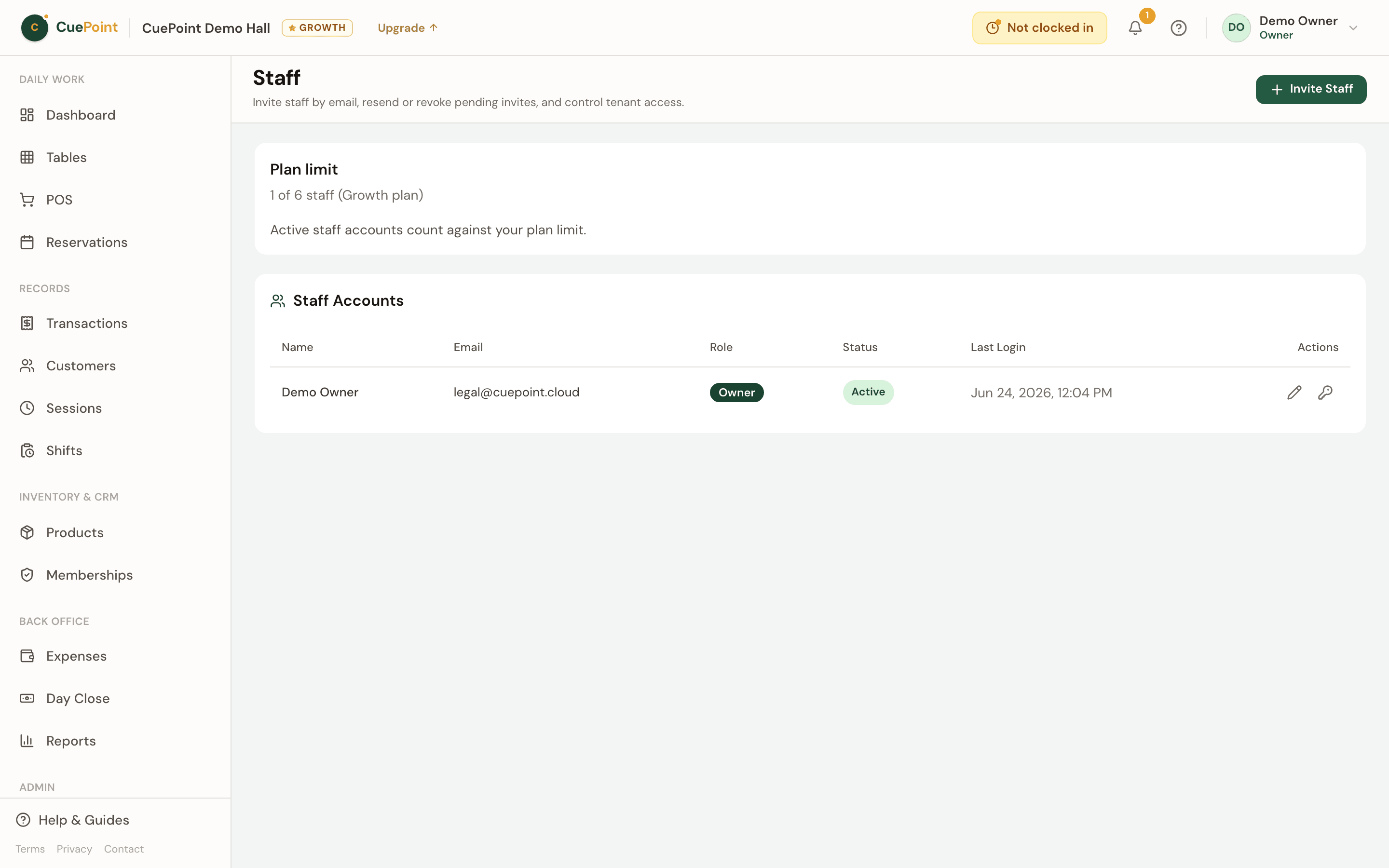
Staff access, audit history, and shift tracking features
Owner, manager, and staff roles
Three permission levels enforced on the server. Sensitive settings (pricing, plans, security) stay with the owner.
Email invites, instant deactivation
Invite by email with a role attached. Resend or revoke pending invites, and deactivate departing staff in one click.
Audit history
Who did what, and when (sessions, voids, and changes) in a searchable log your staff can’t edit.
Shift clock-in and clock-out
Know who was on the floor for every shift, right inside the same system that runs your tables.
Concurrent staff on any device
Multiple cashiers logged in at once: counter tablet, phone on the floor, laptop in the back office.
Billiard hall staff management FAQs
Run your hall without handing over the keys
Create your account, then choose Free or try Pro for 14 days.
More billiard hall software use cases
Billiard hall POS system for table time and checkout
CuePoint combines table time billing and food, drinks, and rental orders into one POS checkout screen built for billi...
Billiard hall revenue reports and table utilization software
See your real daily revenue immediately: table sessions, product sales, and memberships broken down clearly. No end-o...
Billiard hall membership software for loyalty and custom ...
Create membership plans with real perks (discounted rates, free hours, product discounts) applied automatically at ch...