Happy hour pricing software for billiard halls
CuePoint applies the right rate for the day, time, and table automatically: happy hour, weekday afternoons, overnight sessions. Staff start the session; the system does the pricing.
Free plan available. No credit card required.
Why manual promo rates cause billing mistakes
Off-peak pricing is how halls fill dead hours: cheaper weekday afternoons, a happy hour before the evening rush, graveyard rates for the late crowd. But in most halls, those rates live on a whiteboard and in staff memory. The cashier has to remember which rate applies right now, and every shift change is a chance to get it wrong.
Manual promos leak in both directions. A cashier applies the weekday discount on a Saturday night and you quietly give away your busiest hours. Or a new hire charges full price during happy hour and your regulars feel cheated at checkout. Overnight rates are the worst case: the window crosses midnight, so “which day’s rate is this?” becomes a 3 AM judgment call.
And once a discount depends on who’s behind the counter, your numbers stop meaning anything. You can’t tell promo hours from undercharging, and a customer who was quoted one price and billed another doesn’t care whose math was wrong.
How CuePoint applies happy hour and promo rates automatically
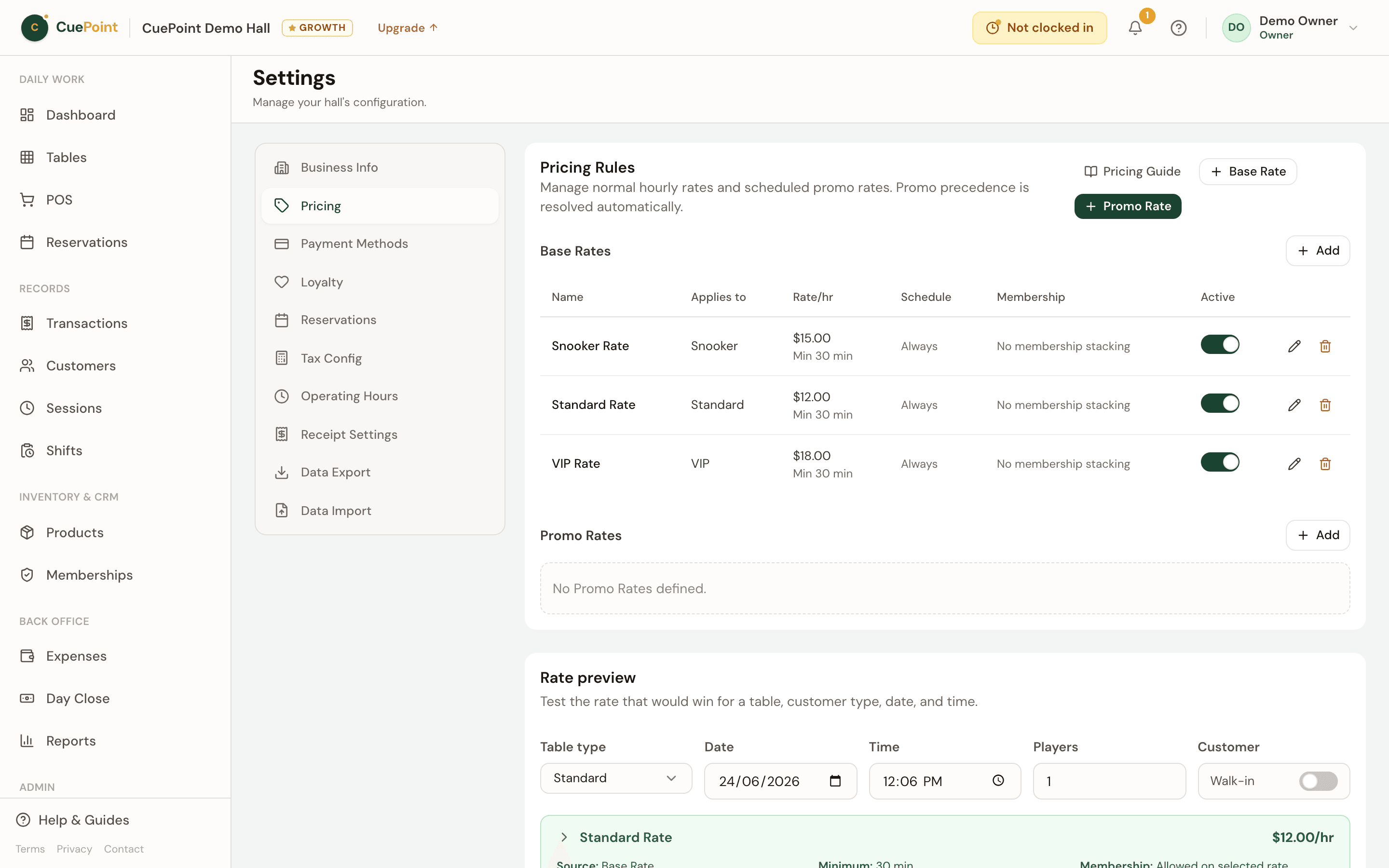
CuePoint lets you define promo rates with real conditions: which table types, which weekdays, which time window, and optionally a date range for limited-time offers. A window can cross midnight: a 10 PM–4 AM graveyard rate is one rule, attached to the night it starts. When staff open a table, the system checks the date and time and applies the right rate. Nobody chooses.
Promos don’t have to cover the whole session. First-segment mode applies the promo to the first stretch of play (a first-hour rate, for example) and bills the rest at your base rate, with the split shown line by line on the receipt. If players move to another table mid-session, staff transfer the session and the clock carries over; the rate for the new table resolves automatically.
Rules can’t silently fight each other. When promos overlap, the most specific rule wins by a fixed precedence, and CuePoint refuses to save two rules it can’t tell apart. Before anything goes live, the pricing preview shows the exact rate for any table type, date, time, and member or walk-in. And the rate each session actually used is stored with that session, so editing your rates never changes old receipts.
Promo pricing features for billiard halls
Promo windows that match real schedules
Weekday and time conditions, date ranges for limited offers, and overnight windows that cross midnight. One rule per promo.
First-hour promo mode
Apply the promo to the first segment of play only (60 minutes by default, and you can change it), then bill the rest at base rate.
No double-booked rules
Conflict validation rejects two promos with the same precedence and overlapping schedules. The most specific rule wins, every time.
Try before you save
The pricing preview shows the resolved rate for any table type, date, time, and member or walk-in mode, before customers see it.
Receipts that never change
Each session stores a snapshot of the rate it resolved. Edit your rules anytime. History and disputes stay on the old numbers.
Happy hour pricing FAQs
Set your happy hour once, then let it run itself
Create your account, then choose Free or try Pro for 14 days.
More billiard hall software use cases
Pool table time tracking software for billiard halls
CuePoint helps billiard halls track pool table time accurately, apply table rates automatically, and send final charg...
Billiard hall POS system for table time and checkout
CuePoint combines table time billing and food, drinks, and rental orders into one POS checkout screen built for billi...
Billiard hall membership software for loyalty and custom ...
Create membership plans with real perks (discounted rates, free hours, product discounts) applied automatically at ch...