Billiard hall open tab software: park sales and settle later
CuePoint parks any order as a named tab. Add to it through the night, and settle with a receipt when the customer is ready. Stock and totals stay tracked the whole time.
Free plan available. No credit card required.
Why informal tabs lose items and frustrate customers
Regulars at billiard halls often want to pay at the end of the night, not after every drink. In most halls, the cashier scribbles orders on a sticky note or tries to remember what a group ordered over four hours. By closing time, the note is lost, items are forgotten, and the customer’s bill is a guess.
Without a real tab system, staff either refuse to defer payment (annoying regulars) or track it informally and absorb the errors. Neither option is good for the business. Informal tabs also don’t deduct inventory, so stock counts drift further every night.
End-of-day reconciliation gets worse when informal tabs are in play. Cash doesn’t match, product counts are off, and there’s no paper trail showing what was sold on credit versus what was actually collected.
How CuePoint parks orders and settles tabs in one step
CuePoint lets staff park any cart as a named open tab in one tap. The customer’s name goes on the tab, inventory deducts immediately, and the tab appears in the POS sidebar so it’s never out of sight. Staff can add more items through the night, and every addition updates the running total and adjusts stock.
When the customer is ready to pay, the cashier settles the tab like any other checkout: choose a payment method, record the amount, and print a receipt. If the customer leaves without paying, the tab can be cancelled with a logged reason so nothing disappears silently.
Open tabs also surface as day-close reminders. Before closing the day, staff see any unsettled tabs so nothing slips through. The tab history stays in the system for reporting and audit, giving the owner a clear trail of deferred payments.
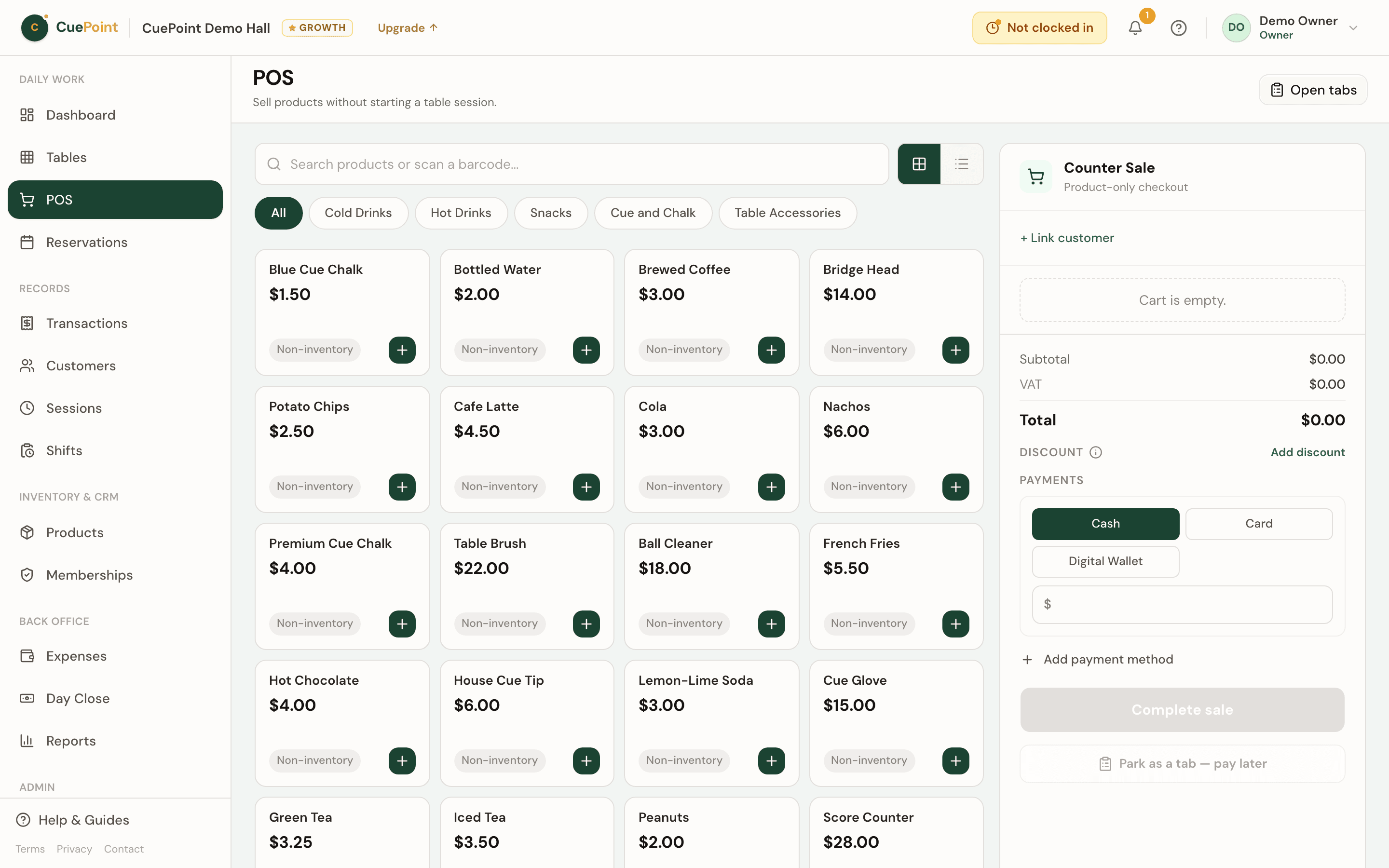
Open tab tracking and settlement features
Park any cart as a tab
Name it, park it, and keep selling. The tab lives in the POS sidebar until it’s settled or cancelled.
Add items all night
Staff can add products to an open tab at any time. Running totals and stock update with every addition.
One-step settlement
Settle with a payment method and receipt, or cancel with a logged reason. No loose ends.
Day-close reminders
Unsettled tabs surface before closing. Staff can’t accidentally leave money on the table.
Billiard hall open tab FAQs
See how CuePoint handles open tabs
Create your account, then choose Free or try Pro for 14 days.
More billiard hall software use cases
Billiard hall POS system for table time and checkout
CuePoint combines table time billing and food, drinks, and rental orders into one POS checkout screen built for billi...
Billiard hall revenue reports and table utilization software
See your real daily revenue immediately: table sessions, product sales, and memberships broken down clearly. No end-o...
Billiard hall cash drawer and day close software
Open with a float, track every transaction, count the drawer, and close with the variance flagged. CuePoint replaces ...