Pool Hall POS vs. Generic POS — What's the Difference?
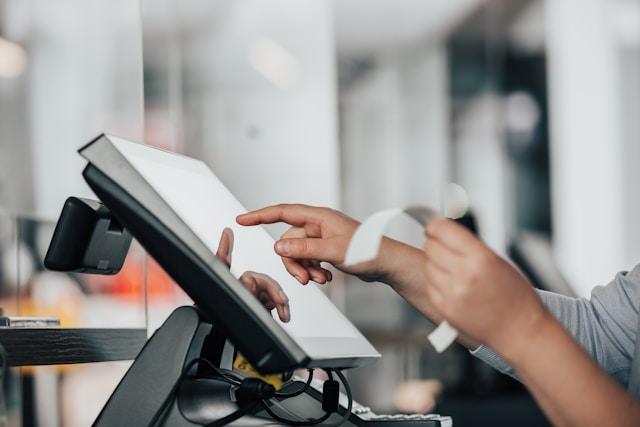
A generic POS system — the kind designed for retail shops, cafes, or restaurants — handles product sales well. It scans barcodes, processes payments, prints receipts, and tracks inventory. For a store that sells products off a shelf, that is exactly what you need.
A pool hall is not that kind of business.
In a pool hall, the primary revenue source is table time — an ongoing service that starts when a customer sits down and ends when they leave. Table time has rates, minimums, promos, and per-second precision. A generic POS has no concept of any of this.
What a Generic POS Does Well
Generic POS systems are excellent at:
- Selling products from a catalog (food, drinks, accessories)
- Processing card and cash payments
- Generating receipts
- Tracking product inventory
- Basic sales reporting
If your pool hall also sells food and drinks — and most do — a POS handles that side of the business fine. The problem is the other side.
What a Generic POS Cannot Do
Table time tracking: A generic POS has no concept of a table session. There is no timer, no rate calculation, no per-second billing. To charge for table time, your staff must calculate the duration manually, multiply by the rate, and enter a custom amount. This is slow, error-prone, and impossible to audit.
Session management: A POS does not show you which tables are occupied, how long each session has been running, or which tables are available. Your staff need a separate system — a whiteboard, a spreadsheet, or their memory — to track table status.
Floor view: There is no live view of the hall. A POS is designed for a counter, not for managing a room full of time-based sessions.
Rate rules: A POS cannot apply different rates based on time of day, day of week, table type, or membership status. It cannot enforce a minimum charge. It cannot switch from a weekday rate to a weekend rate at 6 PM automatically.
Combined checkout: When a customer finishes playing and wants to pay for their table time plus the two beers they ordered during the session, a POS cannot combine these into one checkout. The table time was calculated on paper and the drinks were rung up separately — they live in different systems.
The Workaround Problem
Most pool halls that use a generic POS develop workarounds. Staff use a timer app on a phone, calculate the total mentally, and enter a custom line item called "Table 3 — 2 hours" into the POS. This creates several problems:
- The POS has no record of which table was used or for how long — just a dollar amount
- Revenue reports mix table time and product sales into one undifferentiated total
- There is no way to audit whether the rate was applied correctly
- Promo rates depend on staff remembering to calculate differently
- Minimum charges are enforced (or not) based on individual staff judgment
These workarounds work until they do not. And when they fail, the failure is silent — you do not know you undercharged a table until you look at the numbers weeks later, if you look at all.
Why Table Time Needs to Be First-Class
In a billiard-specific system, table time is not a custom line item. It is the core unit of the business. The system starts a timer when a table begins, applies the correct rate based on your configuration, enforces minimums, and calculates the total at checkout. Product orders are attached to the session so everything appears on one checkout screen.
This means your reports can show table revenue and product revenue separately. You can see which tables generate the most revenue, which time slots are most profitable, and whether a specific promo rate is actually driving traffic or just discounting customers who would have come anyway.
See How CuePoint Handles This
- Billiard Hall POS Software — Table time and product orders in one checkout.
- CuePoint vs. Generic POS — Side-by-side comparison.
- All CuePoint Features — Table timing, POS, reservations, and reports.
Ready to streamline your billiard hall operations?
CuePoint helps you manage tables, track revenue, and grow your business — all from one dashboard.
Try CuePoint FreeRelated Posts

How to Set Up and Manage a Billiard Hall Snack Bar: Pricing, Inventory, and POS Integration
Learn how to set up and run a profitable snack bar with practical guidance on billiard hall snack bar management, POS and inventory integration, pricing, and st

How to Train Billiard Hall Staff on a POS System: Table Billing, Cash Handling, and Shift Protocols
Learn how to train billiard hall staff on a POS system — covering table session billing, cash handling procedures, and shift handover protocols that reduce erro

How to Build a Billiard Hall Pricing Menu: Table Rates, Add-Ons, and Promos in One System
Learn how to structure a billiard hall pricing menu covering table rates and promotions — from tiered rates and add-ons to happy hour scheduling and member pric